USB-C: The Universal Connector That's Universally Confusing (But We're Here to Help!)
I. One Plug to Rule Them All… Or Just Confuse Them All?
Ah, the modern dilemma. You acquire a sleek new gadget, only to find it adorned with that enigmatic, oval-shaped port – USB-C. With a hopeful flick of the wrist, you plug in a seemingly appropriate cable. Perhaps it charges. Perhaps it doesn’t. Perhaps it charges painfully slowly. Or, in a moment of true digital existential dread, it charges, but steadfastly refuses to output video to your monitor. You’re left staring at a blank screen, a slow trickle of power, and a gnawing suspicion that you’ve entered a peculiar tech twilight zone.
If this scenario resonates, rest assured, you are far from alone in this digital purgatory. USB-C burst onto the scene with a glorious, utopian promise: a single, reversible, do-it-all connector that would simplify our lives, declutter our desks, and usher in an era of seamless connectivity. Yet, for many, it has become less a herald of convenience and more a symbol of modern tech frustration, a beautiful paradox of standardization and utter chaos.
Our mission here, then, is to pull back the curtain on this USB-C enigma. We’ll delve into its origins, dissect why it’s become such a baffling mess, and arm you with the knowledge to become a true USB-C ninja, capable of discerning function from mere form.
II. The Dream Team: How USB-C Was Born (and What It Promised)
Let us cast our minds back to the “Before Times.” Remember the exasperating USB-A fumble, where every plug was a 50/50 chance of being right-side up (and almost always wrong on the first attempt)? Or the delicate, often precarious micro-USB dance? The perpetual hunt for the correct proprietary charging brick, contributing to that infamous drawer of tangled, orphaned cables, each destined for a specific, often long-departed, device? Ah, simpler times, perhaps, but undeniably more cluttered and cumbersome.
It was against this backdrop of cable anarchy that a true “dream team” of tech titans – Intel, Apple, HP, Microsoft, and others – convened under the venerable banner of the USB Implementers Forum (USB-IF) around 2012. Their vision was nothing short of revolutionary: to create one connector. A singular, elegant, symmetrical solution that could adapt to the burgeoning demands of increasingly powerful and slim devices.
The grand reveal arrived in 2014 with the official Type-C Specification 1.0. The promise was glorious indeed: a tiny, symmetrical, reversible plug capable of transmitting power, data, audio, and video simultaneously. Imagine! Goodbye, clutter. Hello, sleekness. The world was meant to embrace a future where a single cable could power your laptop, connect to an external display, and transfer files at blistering speeds. It was supposed to be simple. Oh, how beautifully, spectacularly wrong we were about that simplicity.
III. The Plot Twist: One Plug, Many Personalities (The Source of All Our Woes)
Herein lies the core controversy, the grand deception, the very heart of the USB-C enigma. The physical connector shape is indeed a marvel of standardization – beautifully symmetrical, perfectly reversible. You can plug it in either way! But what it does on the inside, the capabilities it actually supports, is a wild, often contradictory, and utterly infuriating mess.
It’s not just a USB-C port; it’s a chameleon, a shapeshifter, a digital quantum state of potential. Think of it this way:
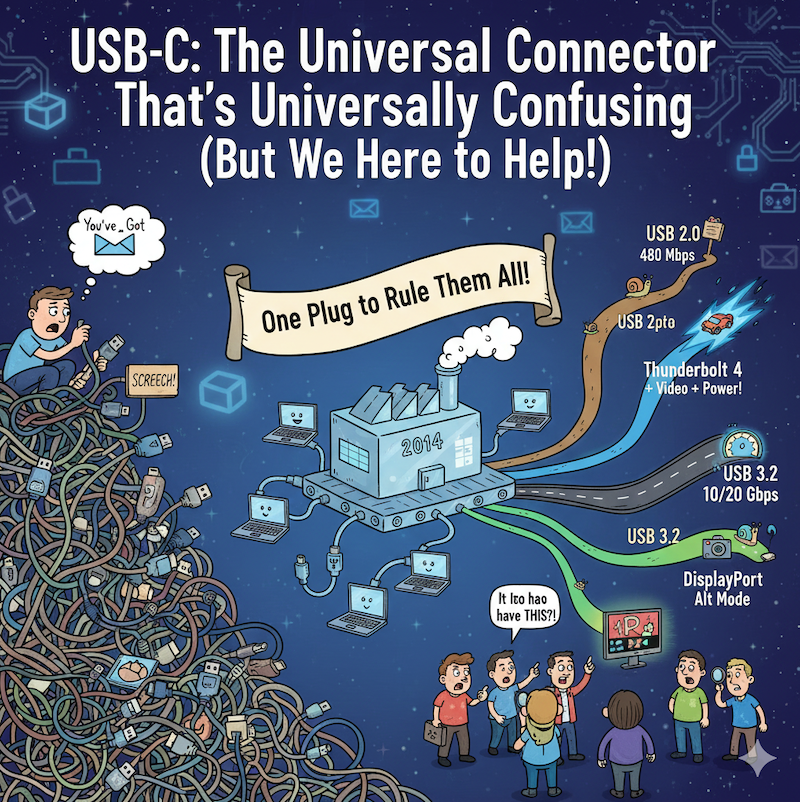
- Speed Demons vs. Slugs: Imagine a sprawling digital highway. Every USB-C port uses the same entrance ramp, but where it leads is anyone’s guess. Some ports are mere dirt roads, crawling along at ancient USB 2.0 speeds (a paltry 480 Mbps – yawn). Others are autobahns, facilitating a dizzying 20 Gbps with USB 3.2, or even a mind-bending 80 Gbps with the latest iterations of USB4 and Thunderbolt 5. The physical connector gives no hint of its internal velocity.
- The Power Play: Can it charge your phone? Probably. Can it charge your power-hungry laptop? Maybe, maybe not! The crucial element here is the USB Power Delivery (USB PD) standard, which dictates the wattage. This can range from basic phone charging (say, 7.5W) all the way up to a mighty 240W. So, that “charging cable” for your earbuds might not even tickle your laptop, despite fitting perfectly. The plug fits, but the power doesn’t flow as expected.
- Screen Time or No Screen Time? This is where many of us encounter the most baffling disappointments. You want to plug into an external monitor? Your USB-C port needs to be a veritable show-off, supporting “DisplayPort Alternate Mode” (Alt Mode). Some rare gems even do HDMI Alt Mode! But many, far too many, politely decline to display anything at all, leaving you with a perpetually dark second screen. It’s like having a television with no channels.
- The Thunderbolt Turbocharge: Enter Intel’s high-performance technology, Thunderbolt. It cleverly leverages the USB-C physical plug, but it’s an entirely different beast under the hood. If you see the lightning bolt symbol, you’ve hit the jackpot for blistering speed, robust video output, and powerful power delivery, all in one. It’s the high-octane sports car that looks like any other sedan.
The bottom line is stark: just because it fits doesn’t mean it works the way you expect. It’s akin to buying a car that looks like a sleek sports car but, upon pressing the accelerator, reveals a lawnmower engine inside. The physical form is universal, but the underlying capabilities are anything but. This fundamental disconnect between universal connector shape and wildly varying functionality is the true source of our collective bewilderment.
IV. Your Inner Detective: How to Decode Your USB-C Ports (and Cables!)
Do not despair! While manufacturers haven’t always been paragons of clarity, there are clues. It’s time to channel your inner Sherlock Holmes and put on your detective hat. Understanding these subtle indicators is your best defense against the USB-C conundrum.
The Secret Symbols (Your Best Friends – Look Closely!):
- ⚡ The Lightning Bolt: This is your ultimate indicator! It screams “Hello, Thunderbolt!” If you see this next to a USB-C port, you’ve got the whole enchilada: high speed, video output, and robust power delivery.
- DP or a “D” inside a “P”: This symbol confidently declares, “I can do video!” It signifies DisplayPort Alt Mode, enabling connectivity to external monitors.
- USB4 Logo: A relatively newer symbol, this also indicates support for high-speed data and DisplayPort video, offering a more streamlined experience.
- “SS” or “SS 10” (or similar): These indicate “SuperSpeed here!” You’re looking at USB 3.x speeds. “SS 10” typically means 10 Gbps, “SS 20” means 20 Gbps. A plain old USB trident symbol without “SS”? Likely slow USB 2.0.
- The Battery Symbol (sometimes with a USB trident): This is your power indicator. It says, “I can charge things (and maybe be charged)!” This confirms USB Power Delivery capability.
The Not-So-Helpful Clue: Forget the interior colors of USB ports (like the blue for USB 3.0 or red for high power charging in older USB-A/B types). For USB-C, those are mostly a relic of the past and offer no reliable information.
The Ultimate Source (When All Else Fails): Your device’s manual or the manufacturer’s official specifications online are your unimpeachable authority. It might be a dry read, but it will provide the absolute truth about your port’s capabilities.
Don’t Forget the Cable! A sophisticated, super-capable port is rendered utterly useless by a cheap, charging-only cable. Just like ports, cables have varying capabilities (and prices!). A cable designed only for USB 2.0 charging will not magically transmit 40 Gbps data or 8K video, no matter how powerful your port. Invest wisely in your cables; they are often the weakest link in your connectivity chain.
V. A Glimmer of Hope? The Future of USB-C (Less Confusion Ahead?)
Good news, weary future dwellers! Efforts are indeed underway to untangle this Gordian knot of standards and capabilities. The future of USB-C, while still complex, shows signs of becoming significantly more navigable.
The EU Steps In! (The “One Charger” Mandate): One of the most significant recent developments comes from the European Union.
- By the end of 2024, all new mobile phones, tablets, and cameras sold in the EU must feature a USB-C charging port.
- This mandate extends its reach to laptops by April 2026.
- Why it’s great: This is a monumental step towards reducing electronic waste, significantly cutting down on cable clutter, and simplifying charging for consumers across a vast array of devices. No more device-specific power bricks for your core electronics.
- Why it’s not a silver bullet (yet): Crucially, this mandate primarily addresses charging. While it ensures a physical USB-C port, it doesn’t entirely resolve the deeper confusion surrounding the data speeds or video output capabilities of those ports. A USB-C port mandated for charging could still be a slow USB 2.0 data port.
Clearer Labeling & Certification: There’s a persistent and growing push for the USB-IF and manufacturers to provide much clearer, more consistent, and universally understood labeling on ports, cables, and packaging. The hope is that symbols will become unambiguous, and marketing materials will genuinely reflect functionality. Potential EU eco-design rules, possibly taking effect in 2028, could further enforce this much-needed clarity, moving beyond just charging.
USB4 and Beyond: Newer standards like USB4 are specifically engineered to integrate high-speed data and video protocols (like Thunderbolt 3) more seamlessly. The architectural goal is a truly unified and less ambiguous experience, theoretically reducing the fragmentation we see today. With stricter requirements for implementing certain Alt Modes, future iterations aim to make the “it fits, therefore it works” assumption a reality, ideally with clearer branding for the end-user.
The overarching goal is to reclaim the original promise of true universality and simplicity. We are, perhaps, slowly but surely meandering back towards the light.
VI. Conclusion: Stay Informed, Stay Empowered!
Yes, USB-C is, in its current incarnation, a bit of a Frankenstein monster of standards, a testament to rapid technological evolution colliding with an admirable but perhaps overly ambitious desire for a unified physical form factor. The gap between the promise of universal simplicity and the reality of functional complexity has been the source of much head-scratching.
But, armed with a little knowledge about those subtle symbols, and with the willingness to consult your device’s specifications, you can navigate this apparent chaos like a seasoned pro. The future, with ongoing standardization efforts and regulatory nudges, certainly looks brighter for the average consumer. For now, however, remember this cardinal rule: always, always check those symbols!
Happy plugging, and more importantly, happy knowing exactly what you’re plugging into!